


View Flux Usage
See an at-a-glance summary of your current plan, number of Flux apps, total events this month, and credits consumed.
-
Sign in to the User Console and select the appropriate coverage type for which you want to view Flux usage.
If you are using Global coverage, ensure you have selected Global coverage before changing plans using the Coverage Type selector.
-
From the Menu, expand Soracom Flux and select Flux Apps.
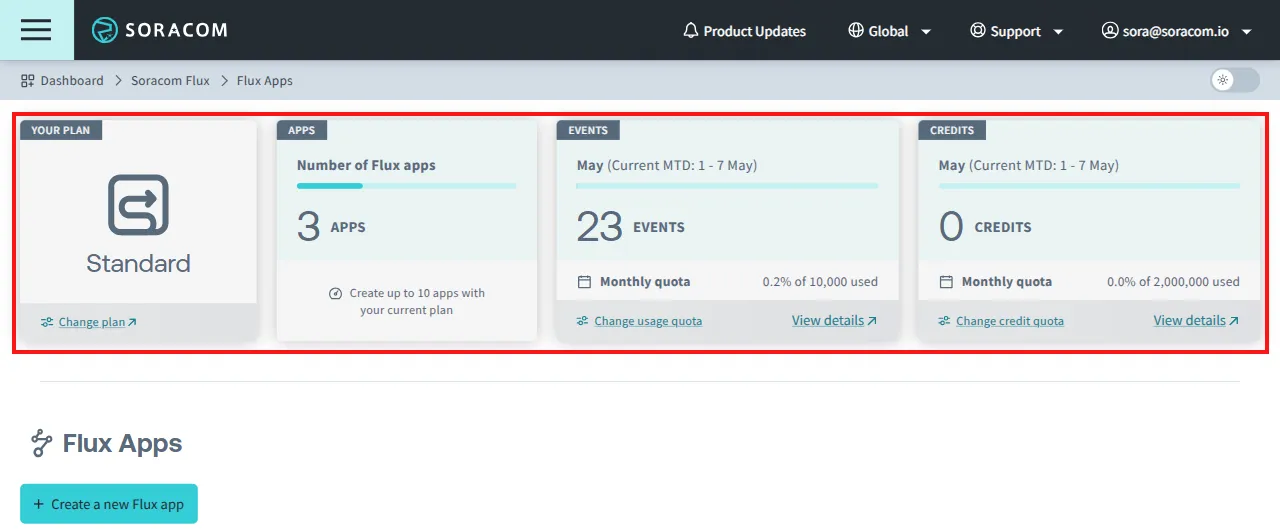
Item Description Your Plan Displays your current Soracom Flux plan. See Plans for more information.
If you have downgraded your plan, both the current month's plan and next month's plan are displayed.Apps Displays the number of saved Flux apps. Events Displays the total number of Flux events for the current month.*1 Credits Displays the total number of Flux credits consumed this month.*1 *1 Click View details on panel to see more detailed information on usage.
View Details
View a detailed breakdown of your Flux usage by app, event history, and credits for the selected period.
-
Sign in to the User Console and select the appropriate coverage type for which you want to view Flux usage.
If you are using Global coverage, ensure you have selected Global coverage before changing plans using the Coverage Type selector.
-
From the Menu, expand Soracom Flux and select Flux Usage.
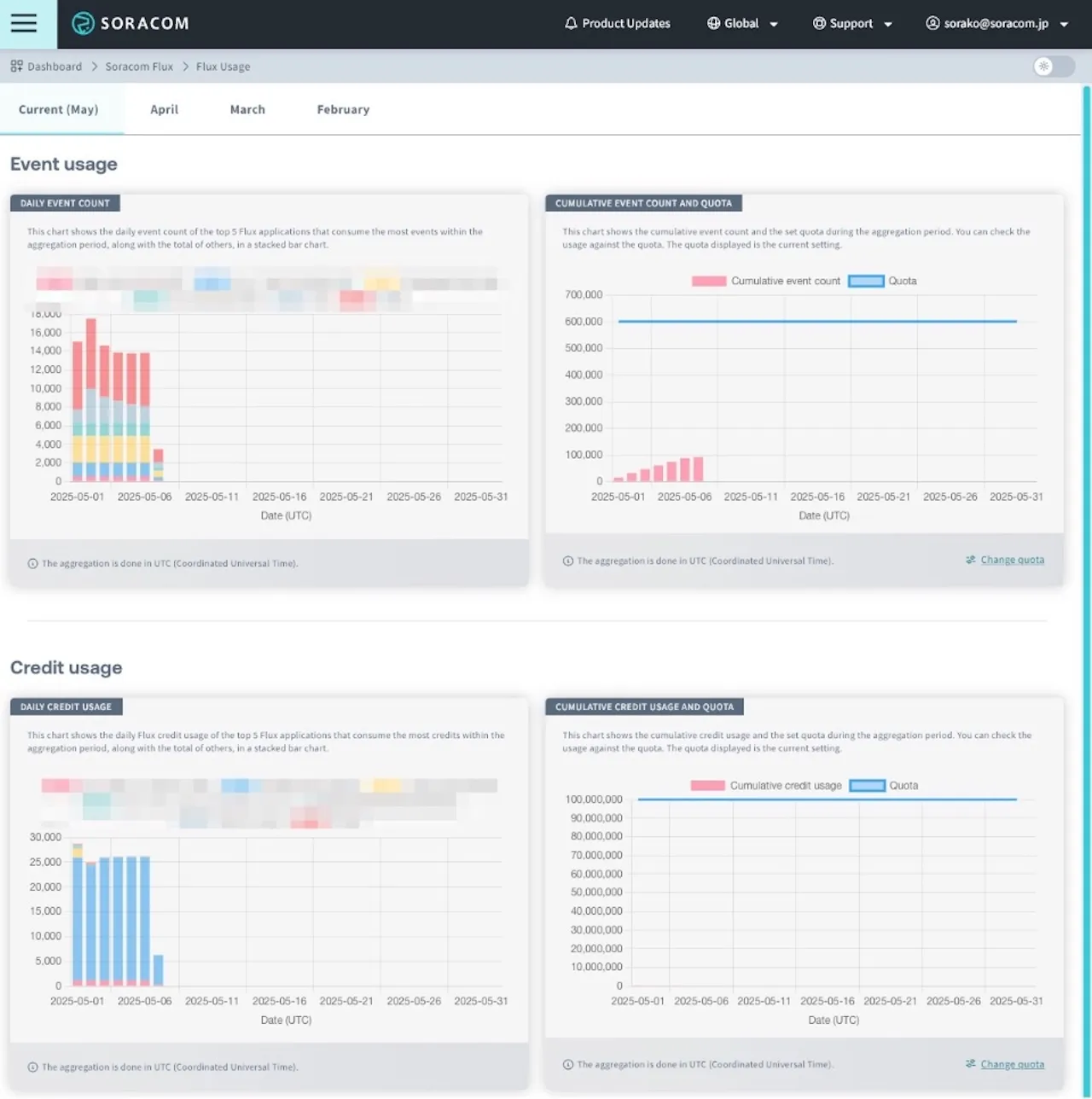
| Title | Description |
|---|---|
| Daily Event Count | Displays the daily number of events as a stacked bar chart, showing the top 5 Flux applications with the most executed events during the aggregation period, along with the total count of all other applications. |
| Cumulative Event Count and Quota | Shows the cumulative number of events executed during the aggregation period and the configured event quota, providing a clear view of event trends and quota status. The Quota displays the current setting value. The Quota can be changed from Change Quota. For details, see Setting Quotas for Event Count and Credit Usage. |
| Daily Credit Usage | Displays daily Flux credit usage as a stacked bar chart, showing the top 5 Flux applications consuming the most credits during the aggregation period, along with the total usage of all other applications. |
| Cumulative Credit Usage and Quota | Shows the cumulative credit usage and the configured usage quota for the aggregation period, allowing you to quickly check usage progress against the quota. The Quota displays the current setting value. The Quota can be changed from Change Quota. For details, see Setting Quotas for Event Count and Credit Usage. |
All data is aggregated on UTC (Coordinated Universal Time) time.