


Overview
The Soracom LTE-M Button is an easy-to-use, battery-powered IoT button device with built-in cellular connectivity provided by Soracom that allows button click events to be sent wirelessly to the cloud from anywhere LTE-M coverage is available. With a cellular modem, antenna, and all other components integrated inside a sturdy IP54 case, you can begin exploring various IoT concepts and even build simple but powerful applications without the need to design, test, or build complicated hardware.
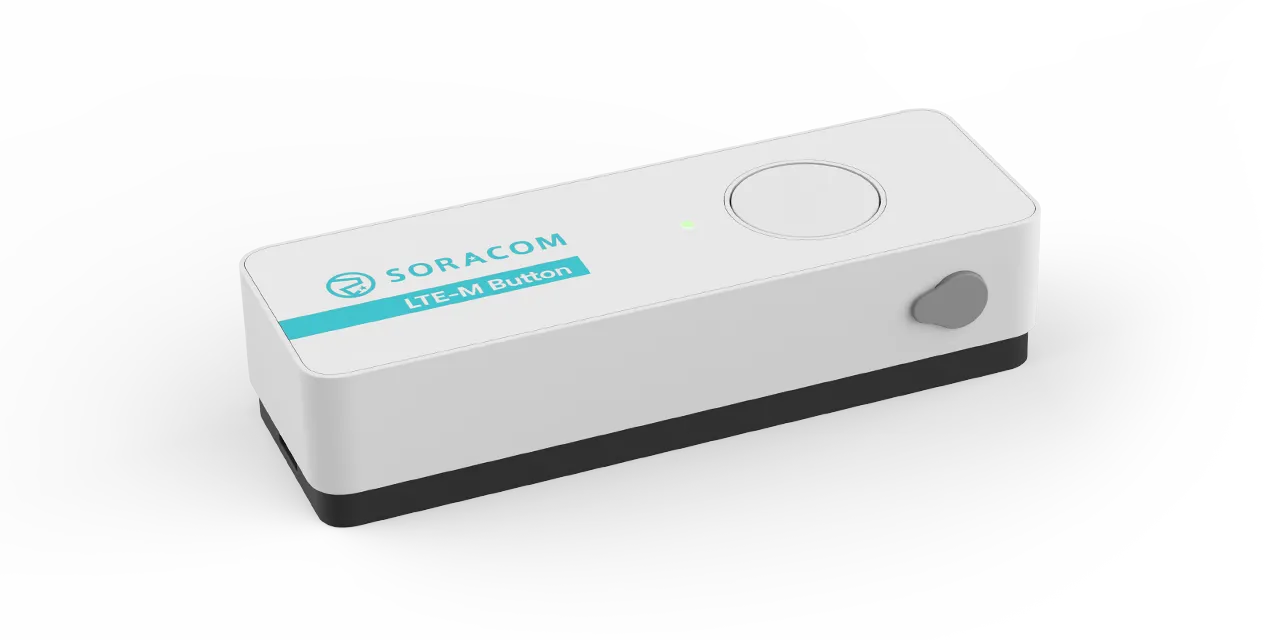
While the button itself provides a straightforward physical interface, the real power comes from its direct integration to the Soracom platform. By combining the Soracom LTE-M Button with Soracom Beam, Soracom Funk, or Soracom Harvest Data, you can easily send button-click events to your server or to various web applications using webhooks, integrate directly with popular cloud functions or cloud services, or even store and view click events directly inside Soracom.
Features
- Global LTE-M modem and built-in eSIM with Soracom Air 01s-ldv connectivity
- IP54 dust and water protection with large positive-action button
- 2,000 click battery life (approx.) with user-replaceable batteries
- Accessory port for connecting external switches and sensors
- Multiple operation modes to fit various use cases
- Remotely managed and configured from the Soracom User Console
- Compatible with cloud services such as AWS Lambda, IFTTT, Zapier, or your own server
Click Types
The Soracom LTE-M Button can detect different types of clicks:
-
Single short click - A simple press-and-release.
-
Double short click - Pressing-and-releasing twice within 2 seconds.
-
Single long click - Pressing-and-holding the button for at least 2 seconds, then releasing.
-
Extra long click - Pressing-and-holding the button for at least 10 seconds, then releasing.
The Extra long click is reserved for changing the button configuration.
These clicks are detected from the built-in button, or can also triggered from an external button or switch by connecting the included 2-wire accessory and configuring the external I/O mode to Pulse Detection.
Operation Modes
The Soracom LTE-M Button provides several operation modes in order to fit many kinds of use cases.
- Event - This mode sends a message each time the built-in button is clicked or the external I/O is triggered.
- Timer - This mode counts the number of built-in button clicks or external I/O triggers and sends a message at regular intervals reporting the number of clicks and triggers detected during that interval.
- Event + Timer - This mode combines the behavior of Event and Timer modes, sending a message each time the built-in button is clicked or the external I/O is triggered, as well as counting the number of clicks and triggers and sending an additional message at regular intervals.
- Event + Heartbeat - This mode behaves similarly to the Event mode, and also sends an additional at regular intervals indicating that the button is still able to connect.
- Alert*1 - This mode behaves similarly to the Event mode, but limits the supported click types in order to prioritize sending a message when the built-in button is clicked. In addition, the button can be configured to remain connected for a brief period in order to send additional messages without reconnecting to the network.
- Alert + Heartbeat*1 - This mode behaves similarly to the Alert mode, and also sends an additional message at regular intervals indicating that the button is still able to connect.
*1 - Available only for buttons with firmware version 3134 and above. See Firmware Updates.
External I/O Modes
The Soracom LTE-M Button also features an external I/O accessory port that allows for triggering messages or measuring temperatures from different kinds of external input sensors. You can configure the external I/O mode according to the type of accessory you want to attach:
- Edge Detection - When connecting the included 2-wire accessory, a message (depending on the configured operation mode) will be triggered each time the wire is connected or disconnected.
- Pulse Detection - When connecting the included 2-wire accessory, a message (depending on the configured operation mode) will be triggered each time the wire is connected and disconnected, similar to pressing and releasing the built-in button.
- Temperature Sensor - When connecting a DS18B20 temperature sensor (not included), the button will read the sensor value and include the temperature measurement in the message it sends (depending on the configured operation mode).
- Disabled - The external I/O can also be disabled if you do not wish to use it.
Mode Compatibility
| Operation mode | Single short click | Double short click | Single long click | Extra long click*2 | Edge Detection | Pulse Detection | Temperature Sensor |
|---|---|---|---|---|---|---|---|
| Event | ✓ | ✓ | ✓ | ✓ | ✓ | ✓ | ✓ |
| Timer | ✓ | ✓ | ✓ | ✓ | ✓ | ✓ | ✓ |
| Event + Timer | ✓ | ✓ | ✓ | ✓ | ✓ | ✓ | ✓ |
| Event + Heartbeat | ✓ | ✓ | ✓ | ✓ | ✓ | ✓ | ✓ |
| Alert | ✓ | — | — | ✓ | ✓ | ✓ | — |
| Alert + Heartbeat | ✓ | — | — | ✓ | ✓ | ✓ | — |
*2 - The Extra long click is reserved for changing the button configuration.