


Account Termination
Soracom staff cannot terminate accounts on behalf of the customer.
If you are considering terminating your Soracom account, note that it is not necessary to do so if you have already terminated all SIMs and canceled all paid services. Soracom accounts incur no fees for simply existing, allowing you the flexibility to maintain your account without cost. This enables you to register new SIM cards or subscribe to new services in the future without needing to create a new account.
If you still wish to proceed with terminating your account, be aware that this action is irreversible. Termination of your account will result in the permanent loss of access to all services, configurations, and data associated with it.
If you are considering terminating your account due to a specific issue, we encourage you to first open a support ticket with our Customer Reliability Engineering team. We are committed to addressing your concerns and finding a satisfactory resolution. Our team may be able to assist with any problems you're experiencing or provide alternative solutions that could better meet your needs.
Terminating a Soracom Account
-
Sign in to the User Console .
-
Click your account menu, then select Terminate account.
!!! If you do not see the Terminate account option, ensure that you are signed in as the account's Root user. Soracom Access Management (SAM) users cannot terminate accounts regardless of their permissions.
-
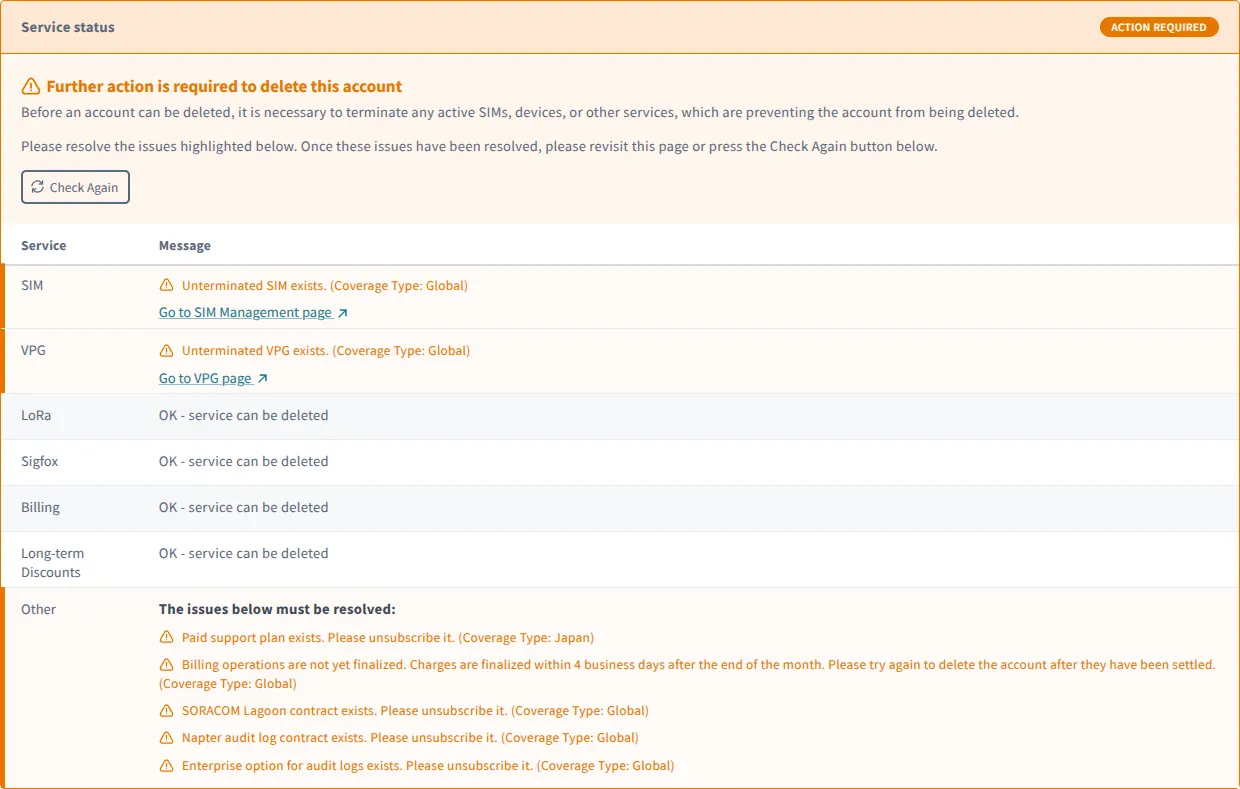
The Terminate account screen will inform you of any SIMs that need to be terminated or services that need to be canceled before account termination can proceed. If you are uncertain how to terminate your SIM cards or cancel a specific service see the Canceling Services section of this page.
!!! Monthly charges will be finalized within 4 days after the end of the month. If paying by credit card, your credit card will be charged approximately 1 week later. Once the payment has been processed/settled, you will be able to terminate your account. It is not possible to pay these charges early to enable immediate account termination.
-
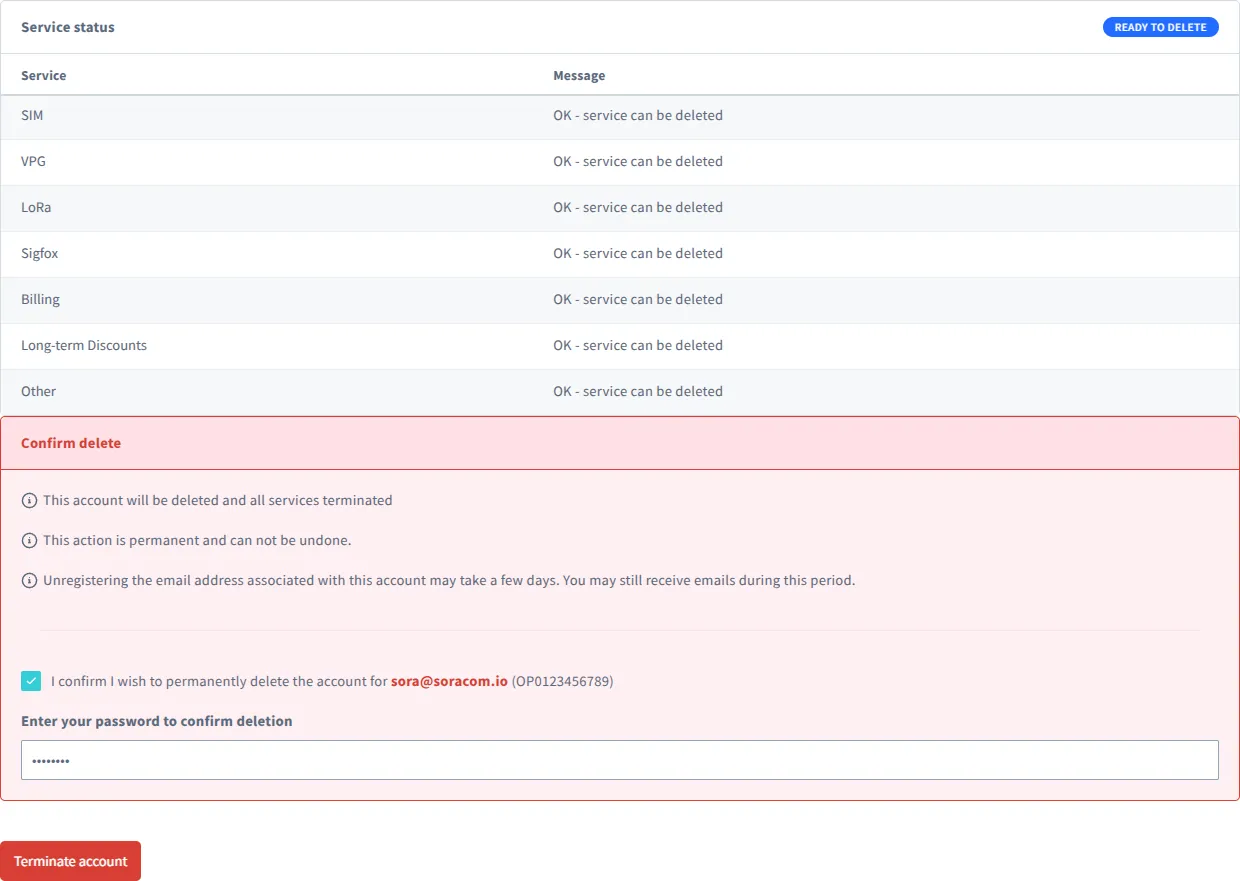
After all SIMs have been terminated, all services have been canceled, and the charges from your last month of use have been cleared, you will see the following message and be permitted to proceed with account deletion. To do so, check the I confirm I wish to permanently delete the account for... box and enter your password to confirm deletion. Then click Terminate account.
-
A window will appear confirming your account deletion.
Canceling Services
The following list comprises the services that will need to be manually canceled or downgraded to their free option for account termination. Other services such as Soracom Funk or Soracom Beam that are billed only for usage with no basic fee do not need to be manually disabled, as terminating your SIM cards using these services will stop further usage and billing.
| Service | Cancelation Instructions |
|---|---|
| Air for Cellular SIM Cards | Terminating Soracom IoT SIMs |
| Air for Sigfox Devices | Terminating a Sigfox Device |
| Arc Virtual Subscribers | Terminating Soracom Arc Virtual SIMs |
| Virtual Private Gateway | Terminating a VPG |
| Lagoon | Switching Plans |
| Harvest Data Extended Data Retention | Extended Data Retention |
| Enterprise Options for Audit Logging | Changing Subscription |
| Napter Audit Logs | Disabling Napter Audit Logs |
| Flux |
|
| Paid Support Plan | Contact us |
Invoice Retrieval
If you have terminated your SIMs and account, you may request invoices for the canceled account within ninety (90) days of the termination date. To do so, contact us , and we will send the requested invoices to the email address associated with the account.