


Using Query to Find Top 3 Active SIMs
Use Soracom Query’s Simple mode to display the three active SIMs with the highest number of connection or disconnection events.
Prerequisites
You must be subscribed to a Soracom Query plan. For details, see Plan Management.
Step 1: Access Soracom Query
-
Sign in to the User Console .
-
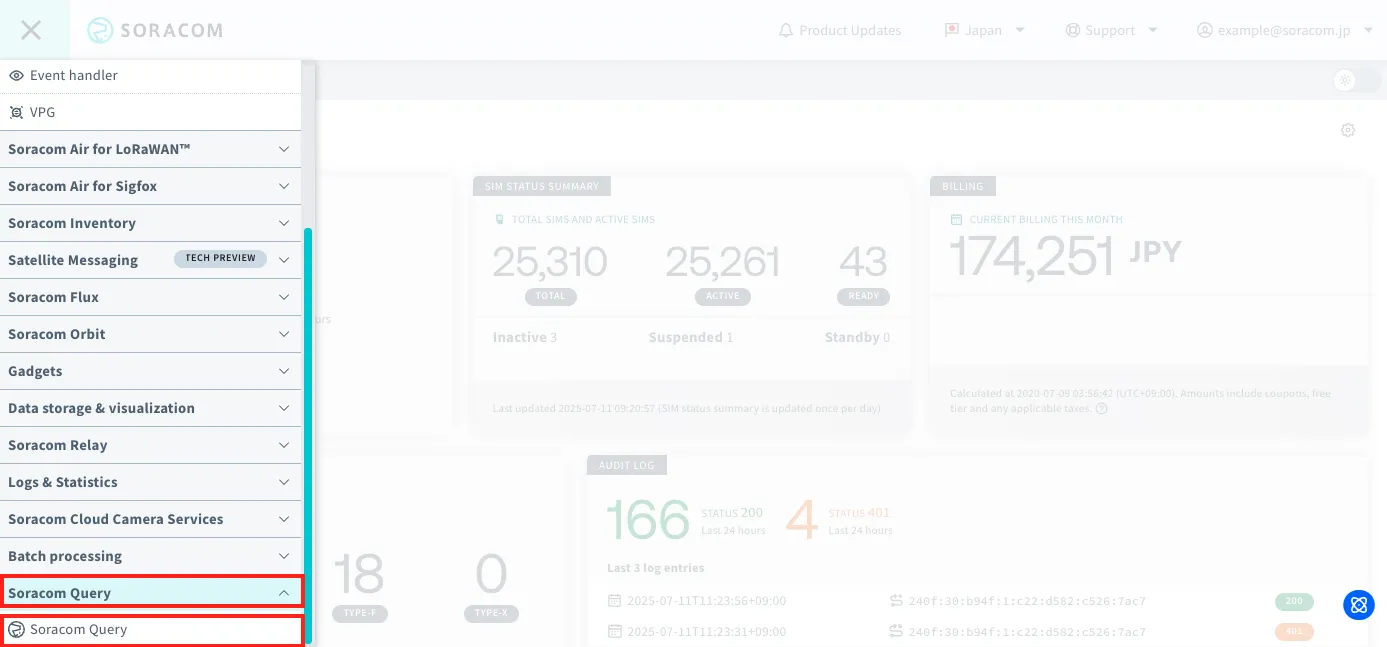
From the Menu, expand Soracom Query and select Soracom Query.
-
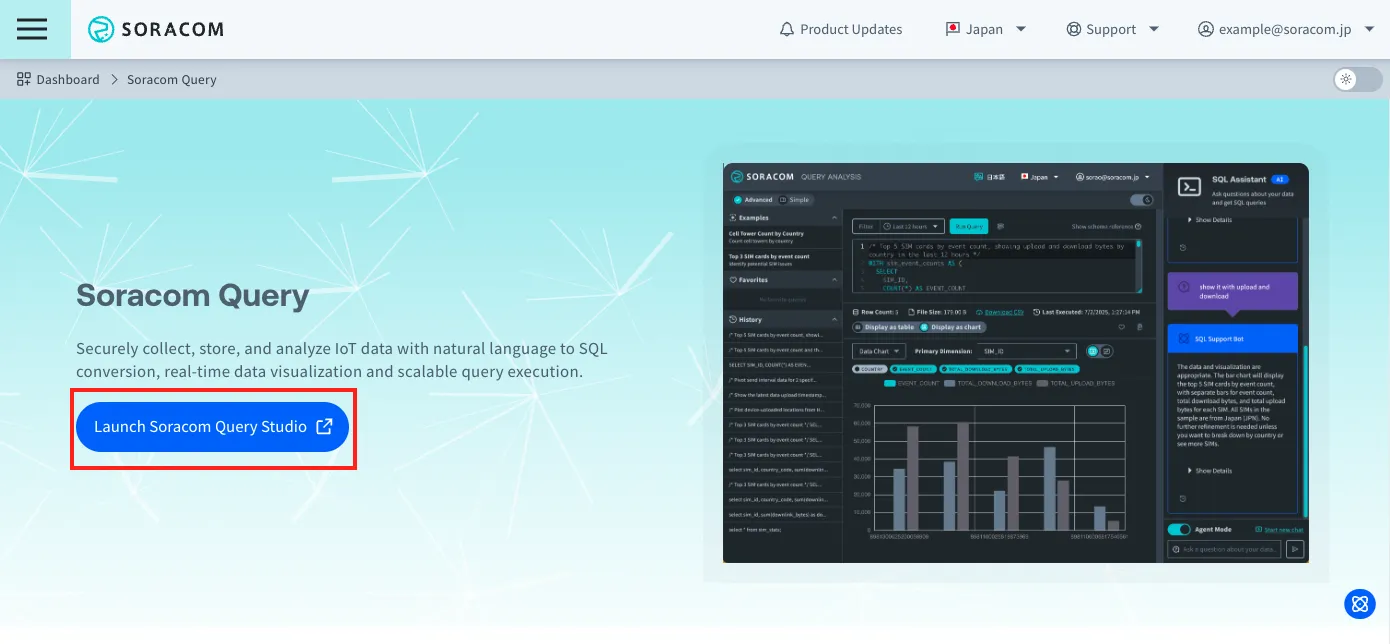
Click Launch Soracom Query Studio.
Step 2: Select a Preset
-
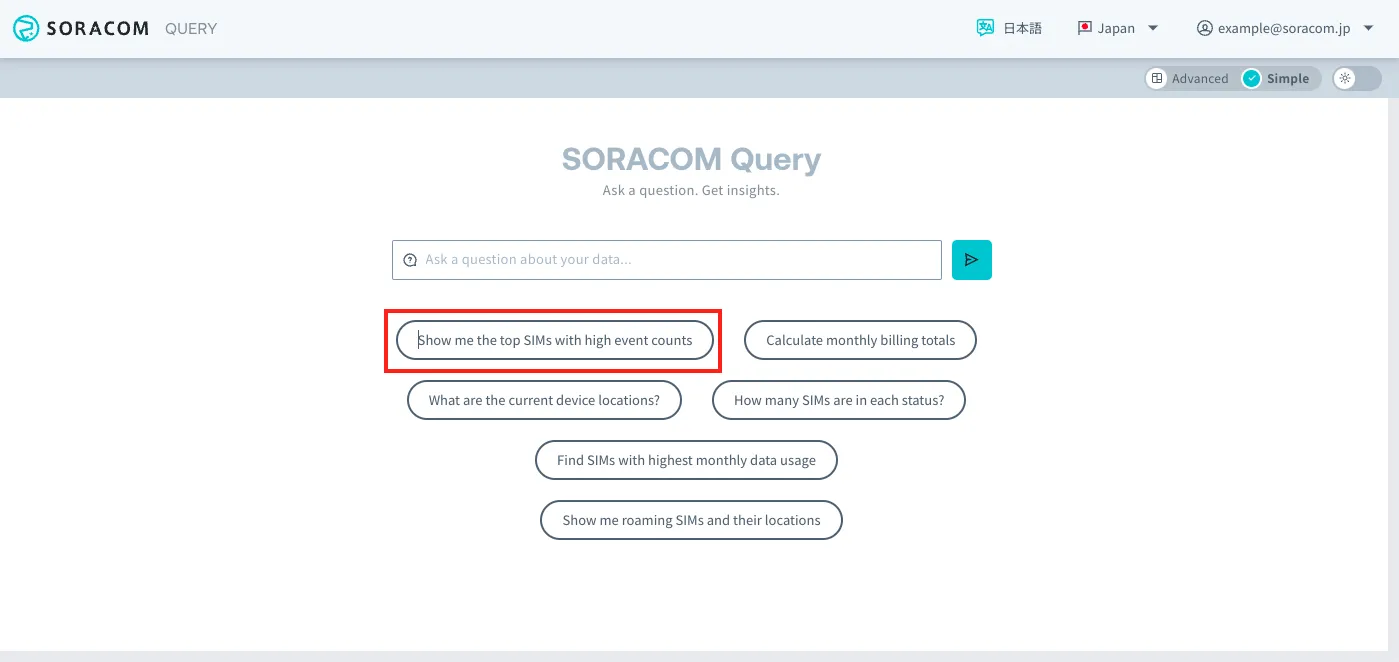
Click Show me the top SIMs with high event counts.
-
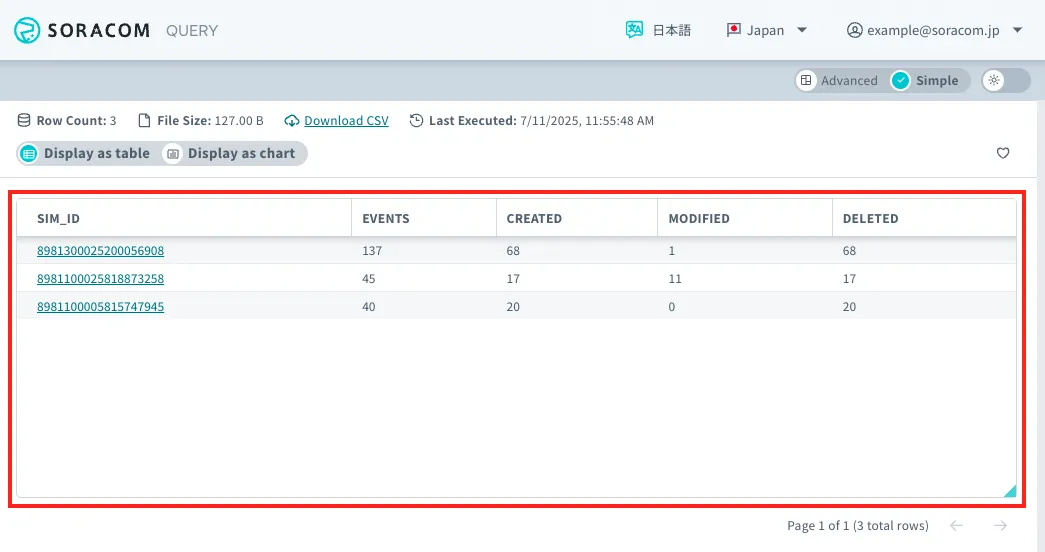
The data shows the top 3 SIMs with the highest number of session events.
-
If you want to change the data being displayed, enter your question in the input field at the bottom of the screen and click Submit button or press Enter.
The question will be sent to the AI. After a moment the requested modification will be displayed.
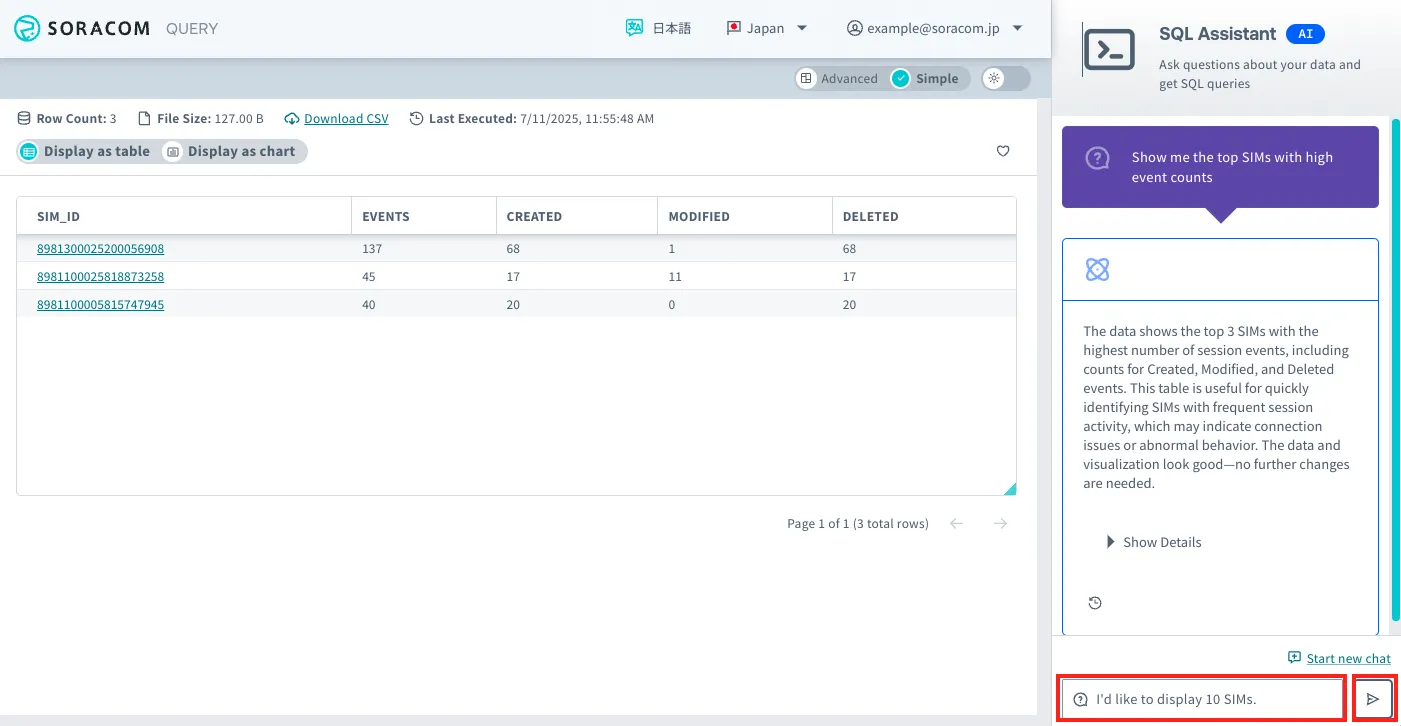
If you have additional questions, you can continue to interact with SQL Assistant.
To display new data, click Start new chat.